
 final output
  making a channel for the words ( money,vacations)and will be by 1st select using magic wand then create new layer the create channel ,then fill up the words by pressing ctrl+del . after this I drag the pictures arranging them so the cover the words nicely the hold the key alt then go to the line between the layers and the click so the word will be filled with picture

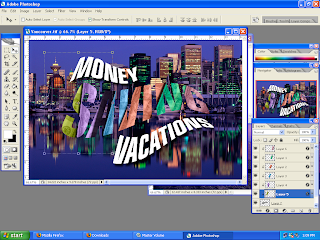 after arranging the images i hold alt go to the line of each layer and click so the the word(saving ) will be fill up with images of the note

 After I drag the picture of the note I arrange the note so each note cover every part of the word

 I changed the note color and add picture .create new layer then change the style of the layer to the mod color , use the tool brush to to color the note

 select the channel then hold ctrl +click after i do so then , i fill up the word that has been selected by pressing ctrl+del drag the picture of the note to the background


 Reference


 -----------------------------------------------------------------------------------------------


